01 — Overview
Product questions deserve product answers.
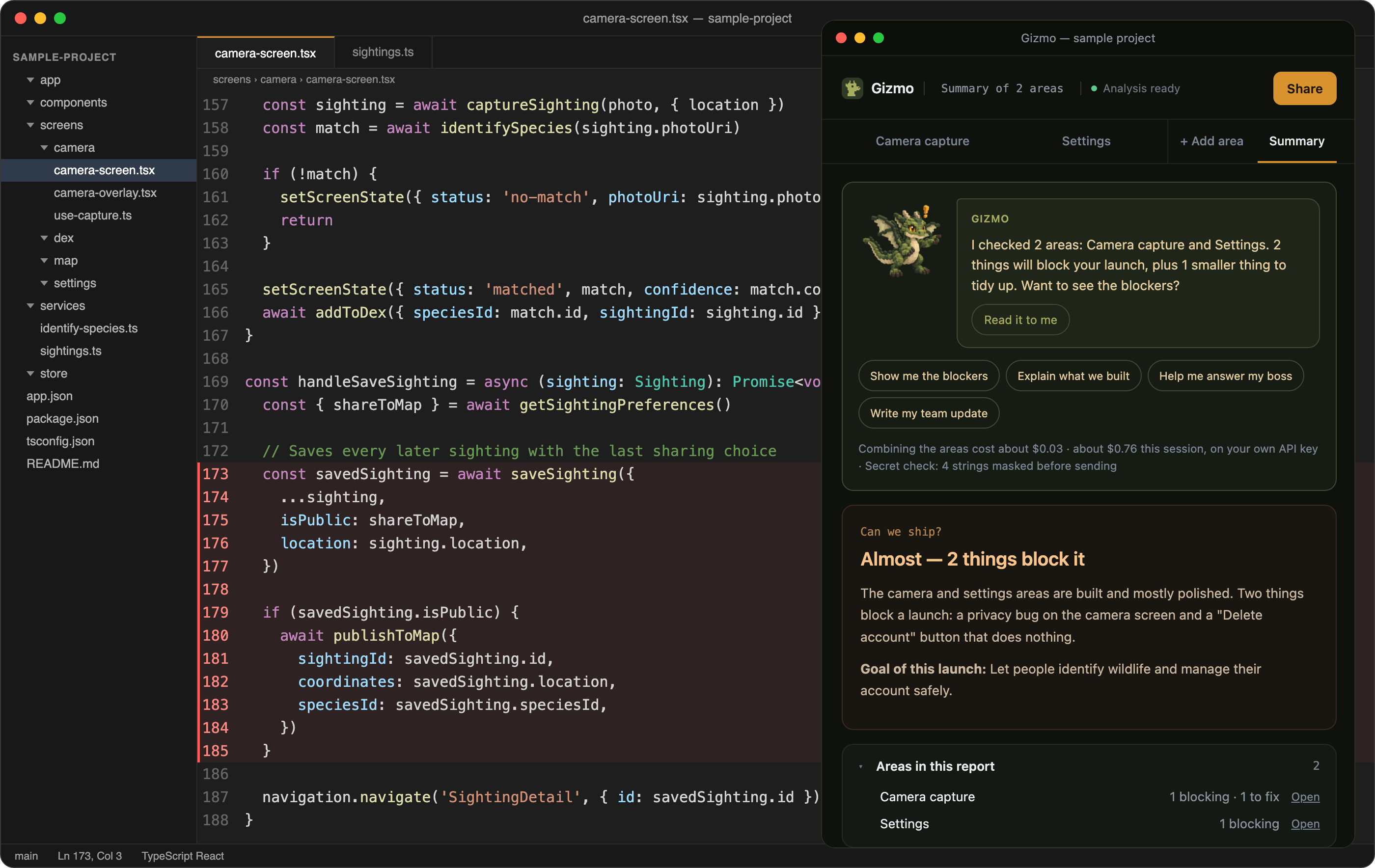
When a product is changing quickly, it can be difficult to know what is actually implemented. A design may show one thing, a ticket may say another, and the code may tell a different story.
Gizmo helps bridge that gap. A user asks about a screen, feature, or part of a product. Gizmo examines relevant code and translates its findings into language a product team can use.
The goal was not to turn designers into engineers. It was to give them a clearer starting point for understanding the product and having better conversations with their team.
02 — The problem
“Can we ship?”
Questions like this sound simple, but the answer can be spread across screens, files, and implementation details.
A product designer or founder may need to understand:
- What is actually built
- What is missing or incomplete
- Which UX states exist
- What might block launch
- What changed during the week
- How to explain the work to the rest of the team
Finding those answers can take time, especially when the person asking is not familiar with the codebase.
03 — My role
I created Gizmo under Celestial Works and owned the product from idea through launch.
My work included:
- Defining the product problem, audience, and scope
- Designing the extension experience and visual system
- Shaping how users select and analyze product areas
- Designing summaries, findings, and code references
- Building and testing the extension with AI coding tools
- Preparing the product walkthrough, case study, and marketplace listings
- Publishing Gizmo to the VS Code Marketplace and Open VSX
04 — How Gizmo works
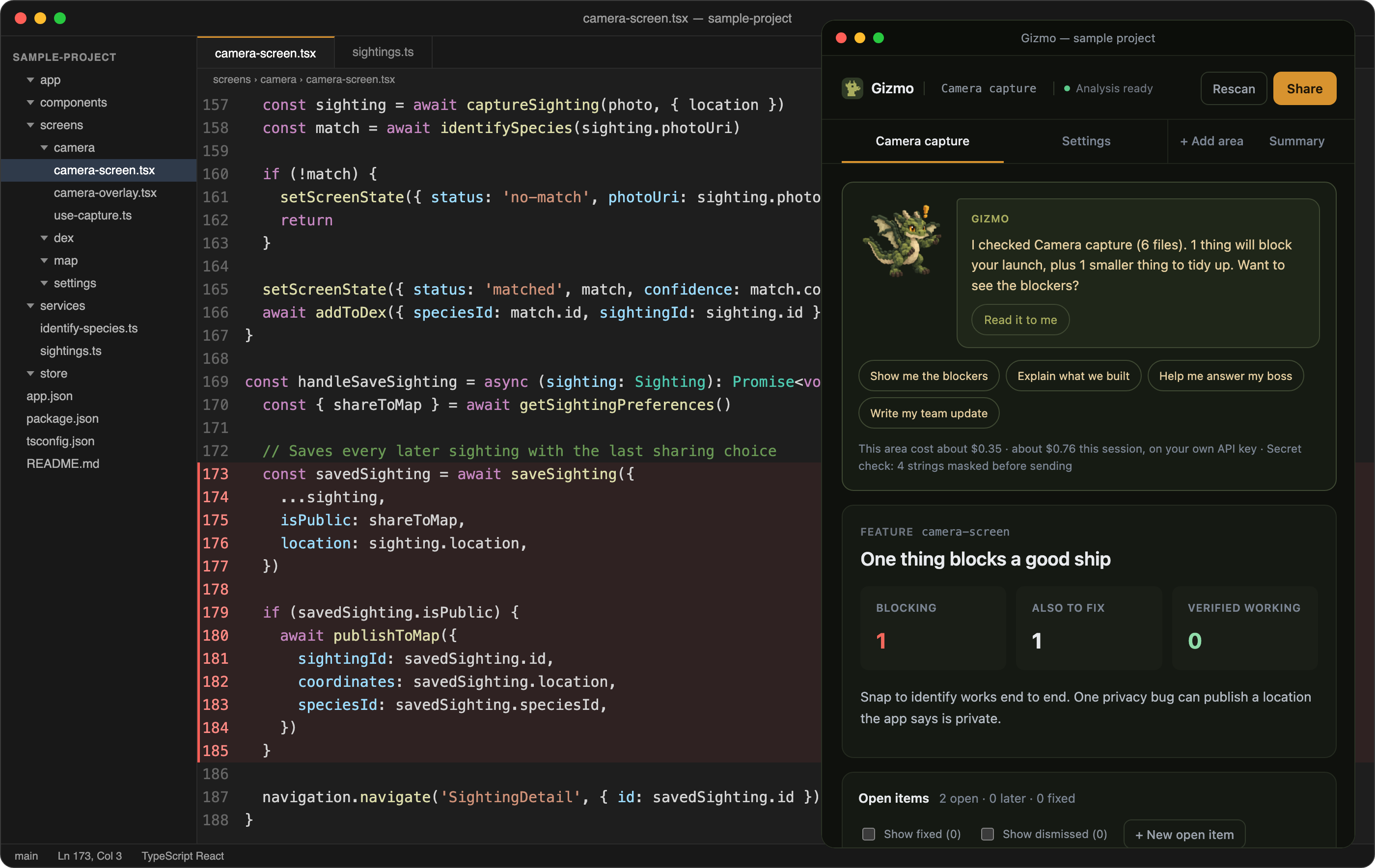
From code to a clearer product picture.
- 01Choose an area Select a screen, feature, or part of the product to understand.
- 02Preview the analysis See the expected cost before starting an analysis.
- 03Review the findings Gizmo reads relevant code and explains what it finds in product language.
- 04Check the source Each finding links back to the relevant code so the user can see where the answer came from.
- 05Connect the bigger picture Combine areas into a summary to explore broader questions, such as what to fix first or whether the product may be ready to ship.
05 — What I designed and built
06 — Key product decisions
07 — From idea to launch
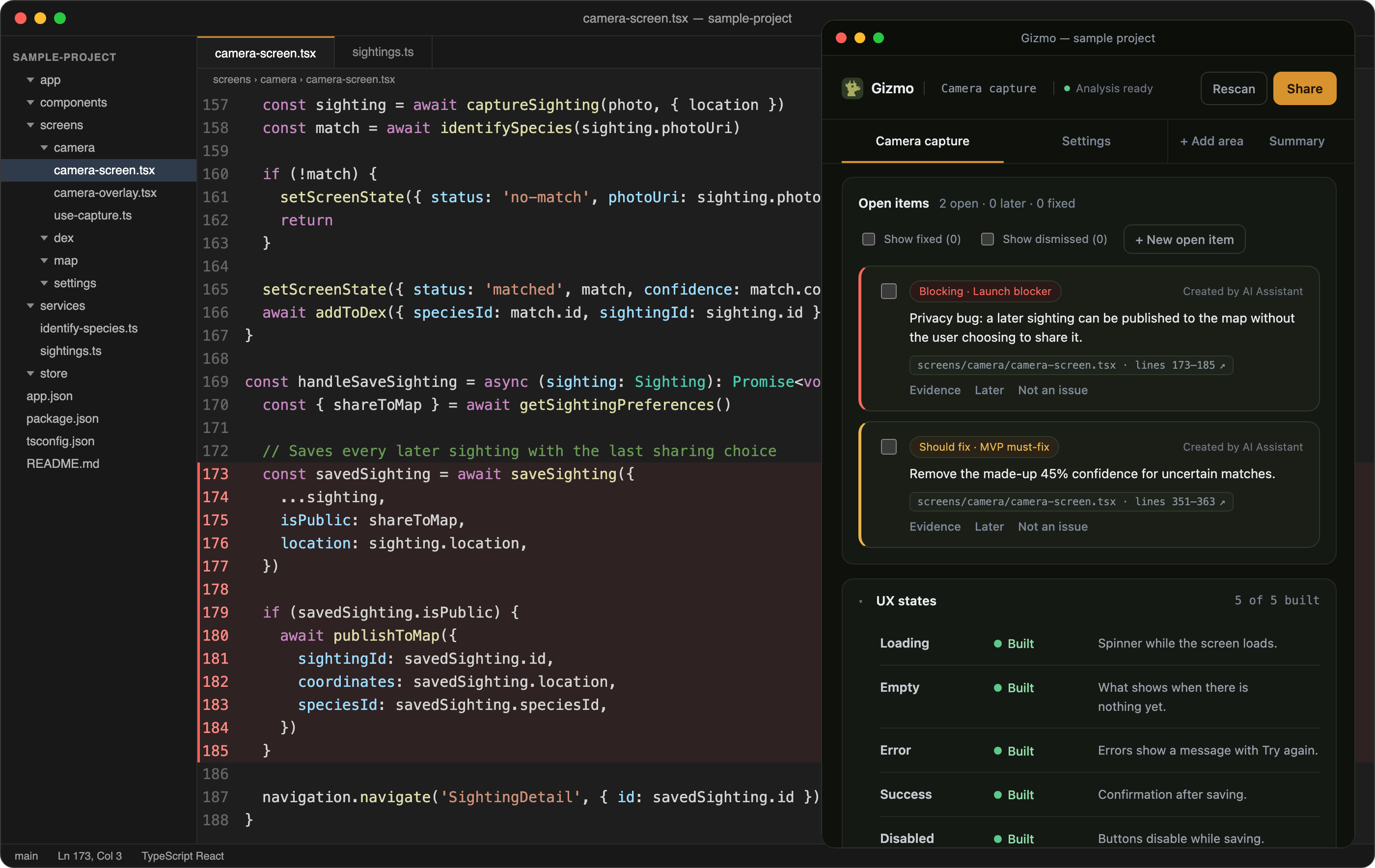
I designed and built Gizmo over approximately two focused weeks in October 2026.
The work brought together product definition, extension design, AI assisted implementation, testing, marketplace preparation, and launch. I also created a product walkthrough to show how the experience works and a separate case study about the decisions behind it.
08 — Early result
Gizmo reached more than 400 downloads in its first week after launch in October 2026.
This is an early adoption signal, not a claim about active users, retention, or long term growth.
09 — What this project shows
Gizmo reflects how I approach a product problem from zero to one: identify a real gap, define a focused experience, design the details, build with AI tools, and put the product in people’s hands.
It also shows how I think about trust in AI assisted experiences. The answer matters, but so do the source, the cost, and the person responsible for deciding what happens next.